
A connected home fails the moment turning on a light becomes a small troubleshooting job.
At 7 a.m., someone flips the familiar wall switch—and the bulb vanishes from the app. Later, a voice assistant hears the wrong room name; by evening, another household member has installed a separate brand’s app. The lights may be clever, but the routine is not.
For a beginner, success is much less about colour effects than dependable everyday light. A room should still light up naturally from its usual switch, and automations should quietly support real habits: dimming at bedtime, brightening a dark hallway, or switching off an empty room. Each extra app, duplicate room name, or rule that requires remembering adds friction. Smart features earn their place only when they make the ordinary action easier—or at least no harder.
- Keep the original switch routine working before adding scenes, schedules, or voice control.
Choose the light before the smart feature
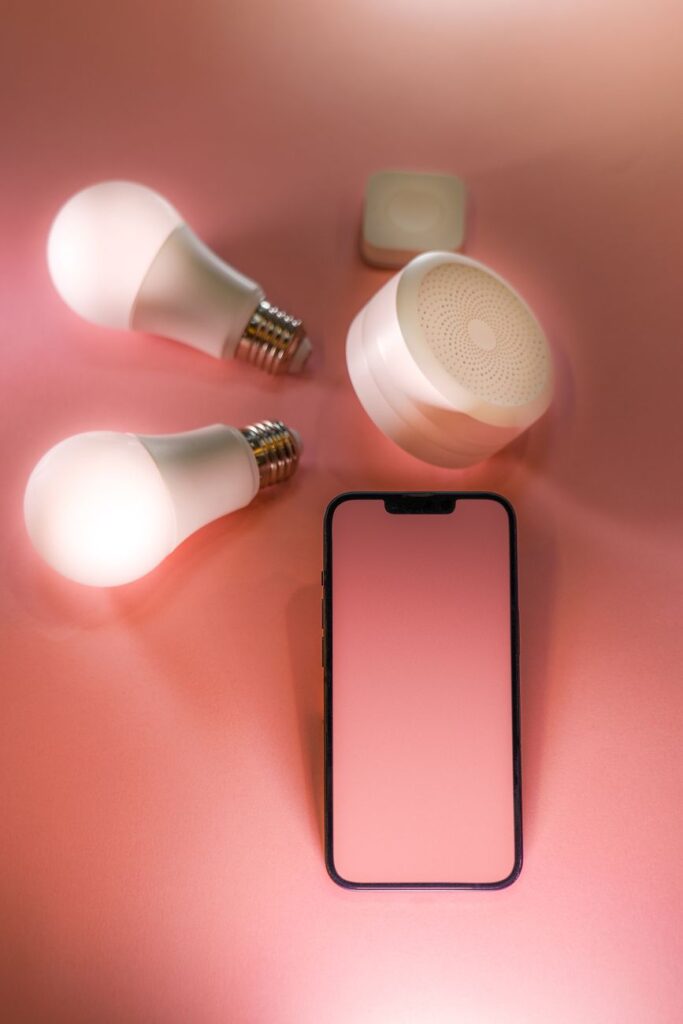
A connected light still has to light a room well. The simplest choice is often a smart bulb: it replaces a standard bulb and suits lamps, pendants, and single fixtures. Check the base type—such as E26/E27, GU10, or B22—and make sure the shade leaves enough room for the bulb’s wider body.
LED strips are useful for indirect light under cabinets, behind a television, or along shelving. They need a clean mounting surface, a nearby power supply, and enough length without sharp bends. Smart fixtures make sense where the existing fitting is tired or built-in light is wanted; their LEDs usually cannot be swapped later. A smart plug can automate a floor lamp, but only if the lamp is left switched on and uses a dimmable-by-power bulb only when appropriate. In-wall controls keep ordinary bulbs and give a familiar wall-switch experience, though compatibility and wiring deserve careful checking.
Brightness comes first. Compare lumens, not watts: roughly 800 lumens suits a typical bedside or table lamp, while kitchens and work areas often benefit from more. Choose 2700–3000K for warm, relaxed rooms and 3500–4000K for clearer task lighting. Confirm that dimming works with the chosen bulb, fixture, or switch; mismatched dimmers can flicker or buzz.
Remote control is convenient—turning off a forgotten lamp or changing a scene from the sofa. Automation earns its place when it removes a repeated action: lights at sunset, a low overnight hallway level, or kitchen lights that switch off after everyone leaves.
Buy one bulb or strip first. Check its brightness, Wi‑Fi or hub behavior, wall-switch response, and app dimming in the actual room before standardizing on a system.
Plan each room around its real use
A useful plan starts with four questions: What fixture is already there? Who uses the room? What happens there? Is adjustable color genuinely useful? The answers often differ within the same home.
Start with the everyday scene
In a kitchen, bright, neutral-white light helps with chopping and cleaning; warm dimming suits late evenings. A smart dimmer on the main ceiling circuit keeps familiar wall control available to everyone. In a bedroom, a bedside lamp may be better served by a smart bulb, since it can dim independently without rewiring.
A practical choice between smart switches and smart bulbs is not an either/or decision. Circuit controls work well for shared, permanently installed lighting, while bulbs add local control, color, and separate zones.
- Hallways and bathrooms: reliable motion-triggered white light; color rarely adds much.
- Living rooms: dimmable lamps and ceiling lights for reading, television, and guests; color can be pleasant as an accent.
- Children’s rooms: simple physical control first; use color sparingly for bedtime cues.
- Home offices: adjustable white temperature is usually more valuable than saturated color.
Color earns its place where atmosphere matters, such as behind a television or on a shelf. Elsewhere, good dimming and sensible white light usually make the bigger difference.
Keep power available at the wall
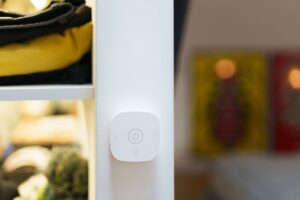
A smart bulb only works while its fixture has power. Flip its ordinary wall switch off, and the app, schedules, voice control, and automations all lose contact. That small mismatch is why wall switches can undermine smart lighting unless the household agrees on a physical-control plan first.
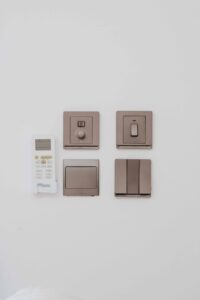
For lamps, a smart bulb plus a clearly left-on switch may be enough. For ceiling lights used every day, a smart switch or dimmer often feels more natural: the wall control remains useful while the circuit stays connected. A switch and smart bulb should not both try to dim the same load unless their manufacturers specifically support it.
Before buying an in-wall control, check:
- Box fit: crowded, shallow boxes may not hold a larger smart device.
- Neutral wire: many switches need one; older homes may not have it. Neutral-free dimmer options can help, but compatibility still matters.
- Heat and load: enclosed boxes, high-wattage fixtures, and LED minimum-load rules can cause trouble.
- Multiway circuits: three-way setups need a model designed for the existing companion switch and wiring.
If the box wiring is unclear, the breaker labels are unreliable, or a circuit uses unusual multiway wiring, pause. A qualified installer can identify the wiring and fit a compatible control safely.
It may flicker, buzz, drop offline, or fail early. Use a regular switch, a compatible smart-control system, or smart bulbs specifically approved for that dimmer setup.
Choose connections that fail gracefully
Wi-Fi bulbs connect straight to the router, so setup can be simple and no separate hub is required. They suit a small home with solid coverage, but a crowded or distant router can make commands slow or intermittent. Internet access is often needed for remote control and some voice features, though many lights still have useful offline behavior when the local network is working.
Bluetooth is best treated as close-range control: a phone can pair directly with a lamp, but control from another room may be unreliable unless the brand provides a bridge or mesh feature. Zigbee and Thread lights normally use a hub or border router. Their radios can pass signals through powered devices, making them a practical choice for larger homes or lights far from the router.
A hub is not automatically a complication. It can keep schedules and switches working locally, even during an internet outage, provided the chosen platform supports local automation. Before buying, check the stated range, whether battery accessories relay signals (usually they do not), and what happens if the hub is unplugged.
Platforms and realistic compatibility
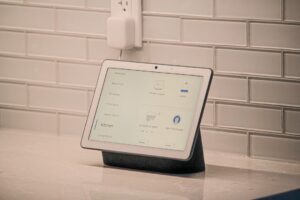
Alexa, Apple Home, Google Home, and similar platforms gather devices into one control screen, but they do not erase every brand limitation. Matter compatibility is worth understanding before treating it as a universal fix: it can simplify basic pairing and control, while advanced effects, scenes, or firmware updates may still require the maker’s app.
The safest arrangement has three ways to operate a room:
- a normal wall switch or smart wall control;
- local app, hub, or button control;
- voice or remote control as a convenience, not the only route.
One stable ecosystem with a clear manual fallback is usually more dependable than a collection of bargain devices using different apps.
Choose a system that can grow without taking over
- Start with the control point already in use
Choose a platform that fits the household’s phones, voice speaker, and preferred home app. For Apple households, lights that stay inside Apple Home can reduce app-hopping.
Look forOne familiar app and voice control for everyday use.AvoidA separate brand app for every room. - Test one complete room first
A bulb, switch, and simple schedule in one frequently used room reveals whether the app and controls feel natural. It also makes the Hue-versus-Govee choice for a growing setup easier to judge on real use rather than features lists.
Look forA small kit with bulbs, controls, and support available locally.AvoidBuying a whole-house bundle before testing reliability. - Keep the main system in charge
A compatible bulb can still be awkward if scenes, updates, and automations live in several places. Use one ecosystem as the daily control layer; add a second only for a clear need such as specialty light strips.
Look forRooms, scenes, and routines managed in one place.AvoidDuplicated groups and competing automations. - Expand by repeated room patterns
Once a bedroom or kitchen setup works, repeat its naming, controls, and light types elsewhere. This keeps later purchases predictable and makes replacing one failed item less disruptive.
Look forA repeatable room kit and consistent names.AvoidA different app, hub, or control method per room.

Give every light a clear place before adding routines
- Name the physical light first
Use a pattern such as “Kitchen Ceiling – Sink” or “Bedroom Lamp – Left.” Avoid “Light 1,” “Main,” and temporary nicknames that will become confusing later.
- Assign one room, once
Place the device in the room where its light is used, not where its switch or hub happens to sit. Check that the app and voice assistant show the same room name.
- Build only intentional groups
Group fixtures that are normally operated together, such as “Bedtime Lamps.” Follow a clear grouping plan that avoids wrong-room commands, and never create near-duplicate groups with different members.
- Test every control path
Turn on the individual light, its room, and each group by app and voice command. If “turn on kitchen” catches a dining lamp, correct the membership before creating automations.
- Repeat the pattern as the home grows
Keep a short record of device names, rooms, and groups. The first clean setup becomes the template for every later addition.
Let lights handle the repeatable moments
Automation earns its place when it removes a tiny, repeated choice—not when it adds another system to manage. Begin with one routine in one area and live with it for a week before adding another.
Pick a low-risk moment
An evening scene is a friendly first choice: at a set time, living-room lights shift to warm white and 40–60% brightness. It should not switch essential light off unexpectedly. A gradual fade can make a bedtime schedule feel less abrupt, while leaving bedside lamps and wall controls available.
Other modest starting points include:
- An “away” scene that turns off selected lamps, not every safety or pet-area light.
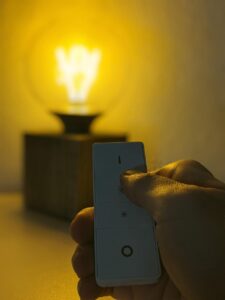
- A button-triggered movie or reading scene that remains fully manual.
- A hallway or stair light that comes on dimly after dark, then turns off after a short delay.
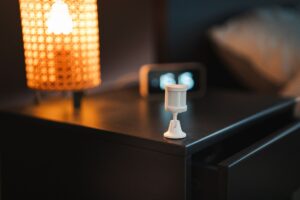
For motion lighting, aim the sensor across the path of travel rather than at a sofa or doorway to another room. Careful motion-sensor placement that avoids false triggers matters more than adding extra rules.
Make every routine easy to undo
Set a modest brightness, a short test window, and an obvious override: a wall control, app tile, or voice command. If household members regularly reverse it, simplify the trigger or remove the routine. Evening lighting is often most useful when it supports a calmer wind-down before sleep, rather than trying to run the entire home.
Run a new automation for several days with one trigger and one action. Check it during normal routines, weekends, and a manual override before expanding it to other rooms.
Success Looks Ordinary
A successful smart-light setup is barely noticeable on a busy weekday: switches remain easy to reach, guests can turn lights on without an app, and each resident understands the few routines that matter. Account logins, hub details, room names, and the chosen ecosystem belong in a simple household note. When a bulb fails, its replacement should fit the socket, the fixture, and the existing system without redesigning the room.
Updates deserve the same restraint as automations. Applying them selectively, after checking that core controls still work, is safer than changing everything at once. If one room works naturally for several weeks—manual controls, sensible defaults, and one or two helpful routines—it provides a pattern worth repeating. Expansion can then stay useful rather than becoming another household system to manage.
